IT STARTED AS A SIDE PROJECT, WITH ONE QUESTION
What should the PLC
of the future look like?
SINCE 1968
The PLC
The small grey box that runs almost every factory machine.
TODAY
An open platform on top
ctrlX AUTOMATION from Bosch Rexroth adds Linux and apps. The control program runs as before.
NEXT
Change how it works
Artificial intelligence gives us a real chance to rethink the inside of the box.
1
THE OUTLOOK · USE CASES
Five jobs the next generation of PLCs can take on
MAINTENANCE & SERVICE
PLC fault diagnosis
Investigates the fault, traces what blocks the restart and delivers a recovery plan with evidence.
A completed diagnostic case
CONTROLS ENGINEERING
PLC change review
Reviews a PLC change, builds regression tests and runs the checks before deployment.
Review and test results
OT SECURITY
OT vulnerability triage
Matches advisories to the plant’s assets and keeps risk decisions current.
An asset-specific risk register
MANUFACTURING IT
MES integration mapping
Turns machine signals into a validated mapping for manufacturing systems.
A validated mapping package
PRODUCT ASSURANCE
Requirement-to-evidence traceability
Ties release evidence to requirements and surfaces gaps as systems change.
A current evidence package
EVERY JOB
Assign the work. Receive the result.
A result the team can check, with the evidence behind it.
2
POMONA, CALIFORNIA · JUNE 2015
The task:
get out of the car.
The finals of the DARPA Robotics Challenge. Eight disaster-response tasks and a two-million-dollar first prize.
Footage: DARPA Robotics Challenge Finals, 2015
3
ONE SIMPLE REQUEST
“Please hand me the cup.”
To do it, the robot answers three questions at once. Each one runs at its own speed.
1
What should I do?
A few times a second
2
How do I move my arm?
Up to 200 times a second
3
Is every joint on target?
About 1,000 times a second
4
ONE SECOND INSIDE A ROBOT
The model thinks ten times. The joints are corrected a thousand times.
THINKS
Vision-language model
10
MOVES
Action model
200
HOLDS
Joint controller
1,000
0 s
1 s
No layer waits for the one above it. Each one runs on its own clock.
Typical published rates: NVIDIA GR00T N1 thinks at 10 Hz, Figure’s Helix acts at 200 Hz, joint controllers run at 0.5 to 2 kHz.
5
SAME SHAPE, DIFFERENT NAMES
Four robotics teams, one architecture
Helix
FIGURE
THINKS
Vision-language model, in the background
MOVES
Policy in its own 200 Hz real-time loop
HOLDS
Joint targets tracked at kHz rates
GR00T N1
NVIDIA
THINKS
Vision-language model at 10 Hz
MOVES
Action model at 120 Hz, 16-step chunks
Gemini Robotics
GOOGLE DEEPMIND
THINKS
Model hosted in a data centre
MOVES
Action chunks at an effective 50 Hz
Atlas
BOSTON DYNAMICS
MOVES
450M-parameter policy at 30 Hz
HOLDS
Model predictive control keeps balance
From each team’s published descriptions. Rates are as the teams state them.
6
THE PATTERN
The language model
never touches a motor.
Intent
Motion chunk
Torque
It hands an intent down and keeps thinking. Faster layers turn that intent into motion. Figure describes its thinking layer as “an asynchronous background process”.
7
WHAT AN AGENT IS MADE OF
Every agent has two parts: a model and a harness
THE MODEL
Reasons
- Reads the situation
- Works out what is going on
- Proposes what to do next
+
THE HARNESS
Everything around it
- Feeds it context: programs, alarms, signals
- Lets it use tools, within limits
- Keeps the job, its memory and evidence
- Checks every action it asks for
=
AN AGENT
Takes on a defined job
For example, finding why a machine will not restart, and handing over the evidence.
The model brings the skill. The harness turns it into work a plant can use and check.
IN THIS TALK
PART 1 · THE MODEL
PART 2 · THE HARNESS
8
WHY A PLANT IS DIFFERENT
Plugging a cloud chatbot into a plant is not enough
Runs on site
Next to the machine, under the plant’s control. Not every machine can depend on an online connection.
Fits the hardware
An ordinary industrial PC: 16 GB of memory, mostly CPU, no data-centre GPU.
Knows the domain
Ladder logic, structured text, vendor dialects, alarm codes and machine manuals.
Data stays with the plant
Programs and process data belong to the plant. Shared training needs separate permission.
The plant picks the version
The plant decides which model runs and when it updates.
Answers can be checked
Structured results with evidence a technician can verify on the machine.
Every requirement points the same way: a small model, on site, built for the task.
03:12 · NIGHT SHIFT · CLOUD ASSISTANT
Line 3 won’t restart. Why?
Great question! Have you tried turning it off and on again?
I can also write a poem about conveyor belts.
It has never seen your plant, your program or your alarm history.
9
THE TAILORING PROCESS
How a tailored model is made
01 · DEFINE
Define the job
One job, its inputs, the answer it must give and what counts as success, agreed before any training.
02 · COLLECT
Gather lawful data
Every source goes into a rights register. Customer data stays out of shared training unless allowed.
03 · ANNOTATE
Expert examples
Input, expert answer, supporting evidence and missing facts. Some right answers ask for more evidence.
04 · TRAIN
Adapt the model
The cheapest method that can test the idea, such as small adapters. Data, code and settings pinned.
05 · GATE
Beat the baselines
Same tasks and evidence, on unseen machines: base model, base with context, our model, a frontier model.
06 · RELEASE
Versioned release
Model card, evaluation report and a package sized for the 16 GB industrial PC, with rollback.
Every new version goes through all six steps again. Nothing learns silently inside the plant.
EXAMPLE TECH STACK
Training on one rented NVIDIA GPU. Release target: the CPU of a 16 GB industrial PC.
03 · ANNOTATE
Label Studio
Reviewed JSONL
04 · TRAIN
Hugging Face TRL
PEFT with LoRA
05 · GATE
vLLM evaluation
MLflow tracking
06 · RELEASE
GGUF package
llama.cpp runtime
10
PART 2 · THE HARNESS
Our harness brings all three layers into one controller
THE MODEL
Reasons
Small, local, tailored for one task.
PART 1 · DONE
+
THE HARNESS
Three layers, three clocks
THINKS
Agent and tailored model
SECONDS
MOVES
Control program
MILLISECONDS
HOLDS
Inputs and outputs
EVERY SCAN
=
THE AI-NATIVE PLC
One controller
Thinks, moves and holds on one platform.
The thinking can take seconds. The control loop never waits for it.
11
1968
The PLC has run the same loop since 1968
01
Read the inputs
Sensors, switches, buttons
02
Run the logic
The same program, top to bottom
03
Write the outputs
Motors, valves, lamps
Repeat, every few milliseconds, for decades. The same inputs always give the same outputs. That predictability is why we trust it with machines.
Since this talk began, a PLC on a 10 ms cycle would have completed 0 scans.
12
THE CORE PRINCIPLE
The model proposes.
Deterministic control decides.
Intelligence stands beside the control loop, on site, next to the machine. It never sits in the loop’s path.
13
THE SPINE
One path from a model’s idea to a machine action
AGENT
Tailored model
Watches the machine, reads the program, reasons about the fault
REQUEST
Bounded action request
One exact action, target and parameters
GUARDIAN
Independent guardian
Checks authority, program revision, freshness and machine state
CONTROL
Deterministic executor
Owns the I/O and runs the validated program
Bounded observations flow back to the agent. The control cycle never waits for them.
The model never writes to the machine. It can only ask.
14
THE CONTRACT
Four rules we do not bend
RULE 1
The scan never waits for inference
Control runs on its own deadline. A late, missing or wrong answer changes nothing in the cycle.
RULE 2
The model never writes
It proposes an action from an allowlist. A deterministic guard checks it. Starts, restarts and motion wait for a person.
RULE 3
Nothing grants itself authority
The guardian is a required part of every deployment. A plugin cannot switch it off, and no allow overrides a denial.
RULE 4
Record the intent before acting
If a response is lost, reconcile what the machine shows. Never blindly retry a physical action.
15
THE PAPER WE BUILD ON
A Programming Paradigm for Spatiotemporal Composability
Yifan Shi, Wei Zhang, Tianyi Cui · Peking University and DeepSeek-AI · 2026
Software whose parts can arrive, change and leave while the rest keeps running.
TIME · REVERTIBLE EFFECTS
Every change a part makes comes with its undo
When a part leaves, exactly what it added is taken back, in reverse order.
SPACE · DECLARED DEPENDENCIES
A part runs only while what it needs is there
Parts declare what they need and provide. The runtime starts and stops them.
4 properties proved
Recovery, dependency ordering, progress and confluence, for the paper’s calculus.
1 framework: Cordis
Effect tracking, dependency resolution and hot module replacement.
4,000+ plugins
Built on this model over four years, as the authors report.
Our architecture north star for the OT AI Harness.
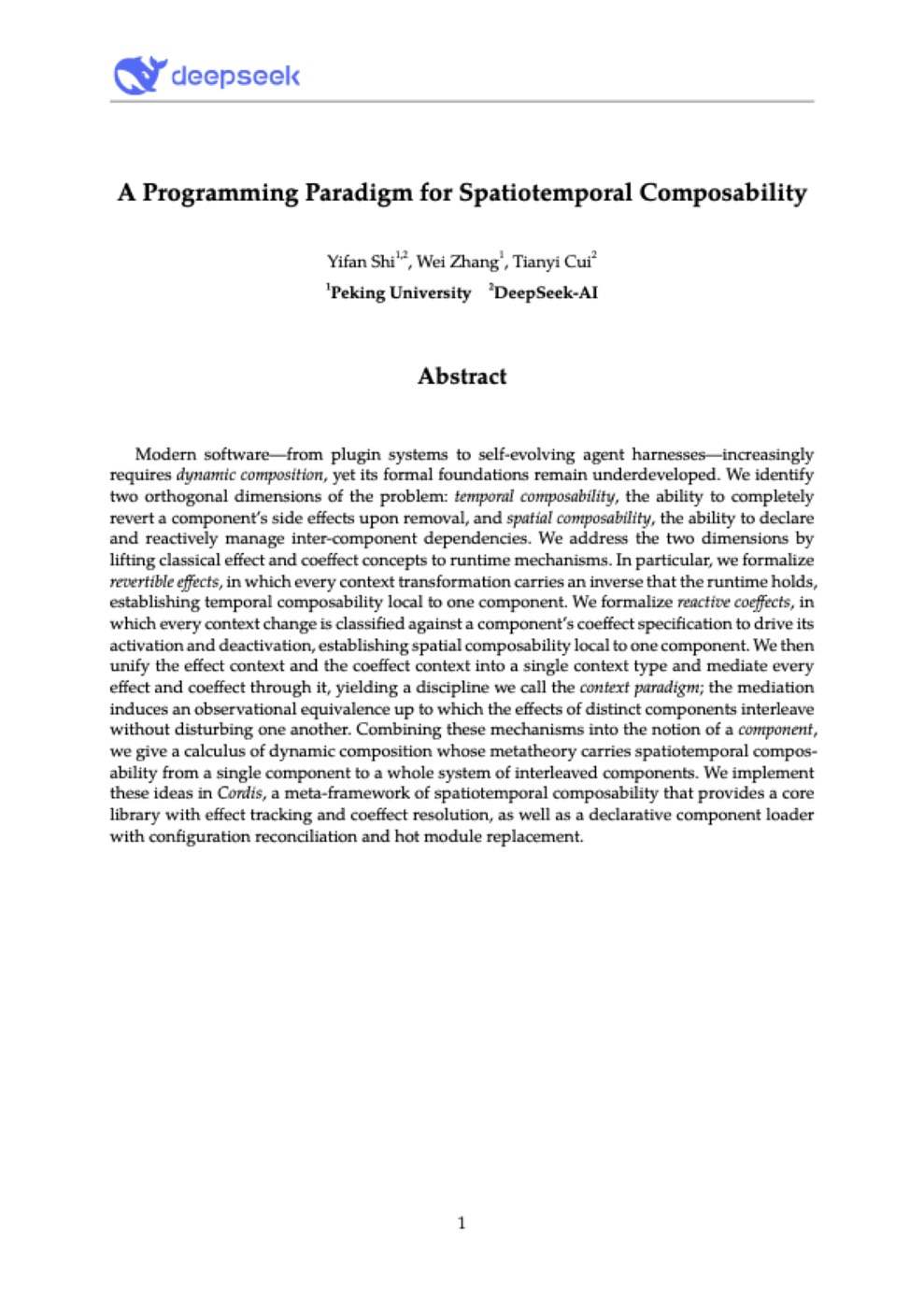
arXiv:2608.25512 · 92 pages
16
THE PRINCIPLES WE FOLLOW
Six rules every plugin follows
01
Declare what you need
A plugin names what it requires and what it provides, and touches nothing else.
02
Every change has its undo
Cleanup is written where the resource is acquired. A stopped plugin leaves nothing behind.
03
Remove only what you own
Cleanup takes back only this plugin’s registrations, never another plugin’s.
04
Dependants stop first
A provider leaves only after everything that uses it has finished and cleaned up.
05
Failure stays local
A plugin that fails to start installs nothing, and the plugins beside it keep running.
06
Some effects cannot be undone
A machine command is final. It goes through the guardian, with its intent recorded first.
The paper gives the reasoning. Our tests have to show what our code does.
17
EVERYTHING IS A PLUGIN
A small core. Everything else plugs in.
Agent loop
Bounded reasoning and tool requests
Local model
Runs on site, on the industrial PC
Operator UI
Screens rendered in Rust
Evidence and audit
Durable jobs and records
Guardian
Required in every profile
CORE
identity · dependencies · lifecycle · capabilities
Device connections
Siemens S7, Rockwell Logix
Use cases
Fault diagnosis first
Virtual PLC
Deterministic control
Third-party tools
Out of process, through MCP
THE OT AI HARNESS · CORE + PLUGINS
Model
Deterministic
Core and plugins together are the OT AI Harness. A deployment lists its plugins; the guardian is always one of them.
18
THE VIRTUAL PLC AS A PLUGIN
The control program becomes one more plugin
BACKGROUND LANE
Events and jobs, measured in seconds
Agent and local model
Fault diagnosis use case
Operator UI
Evidence and audit
Bounded request
Guardian
Checks authority, revision, freshness and state
Validated command
Bounded snapshots, never waited on
CONTROL LANE
Fixed cycle, measured in milliseconds
Virtual PLC plugin
- Runs the validated control program
- Owns the process inputs and outputs
- Scans on its own deadline
Composed before it runs
Loading, discovery and teardown stay outside the cycle.
The scan waits for nothing
No inference, database or network call in its path.
Control works without AI
A control-only build starts with no model installed.
19
WHY RUST
Rust rules out the bugs a controller cannot afford
~70%
of the serious security bugs the Chromium project counts are memory-safety bugs.
Safe Rust rules out that class of bug at compile time, with no garbage collector.
CISA’s 2023 guidance asks software makers to move to memory-safe languages.
THE HARNESS NEEDS
RUST GIVES
A plugin that leaves takes back exactly what it added
Ownership: cleanup runs once, when the owner goes
Many plugins working at the same time
No data races: the compiler rejects them
A scan that waits for nothing
No garbage collector, so no collection pauses
Contracts between plugins that hold
Types checked before anything runs
One core from industrial PC to controller
Runs from Linux and Windows down to bare metal
Rust does not make software real-time. Timing is still measured on the target.
20
THE ROADMAP
Four stages to the AI-native soft PLC
STAGE 1 · PLATFORM
The OT AI Harness
A small core, the plugin API and the standard plugins: local model, operator UI, evidence and audit, guardian.
CLOSES ON
A 24-hour soak on reference industrial PCs, with measured limits.
STAGE 2 · AGENTS
Agents next to today’s PLCs
Device connections and use cases arrive as plugins on the installed fleet, starting with fault diagnosis.
CLOSES ON
Fault diagnosis on site, on Siemens S7 and Rockwell Logix controllers.
STAGE 3 · MODELS
Tailored models take over
A tailored model replaces the base model wherever it wins the held-out comparison.
CLOSES ON
A win over the base model and a frontier model on unseen machines.
STAGE 4 · CONTROL
Control moves into the harness
The virtual PLC plugin runs the control program on a real-time host, behind an independent guardian.
CLOSES ON
Timing and isolation measured on the real-time host.
THE GOAL
The AI-native soft PLC
Intelligence and control on one platform, as plugins of one harness.
Resident intelligence
A deterministic execution core
A separate safety boundary
Each stage closes when its evidence exists.
21
BACK TO 03:12
The next time the line will not restart
The agent on the machine’s industrial PC has already frozen the evidence, traced the logic and named the blocking condition.
Restarting the line still waits for a person’s yes.
DIAGNOSTIC CASE
BLOCKING CONDITION
The start interlock that is still false
CODE LOCATION
The block and rung where it sits
EVIDENCE
Signal history frozen at the moment of the stop
NEXT CHECK
What the technician should look at first
Restart proposed · waiting for confirmation
22
DEMO · THE OT HARNESS AT WORK
23